
Get Homie

Open betaFreeNo account needed to play

Homie for Mac

Game night on your TV. Everyone plays from their own phone, and your own AI can make you something new.

Download for Mac

Version 0.3.136294 MBmacOS 15 or laterApple Silicon

Homie installs on the Mac by your TV.

Or type homie.rocks/install on the Mac.

Download the Mac installer here (294 MB)
Watch Homie in 94 seconds

Not on a Mac? Raspberry Pi 5 is next. Windows and Linux are planned.

One email, when it runs on yours. Nothing else.

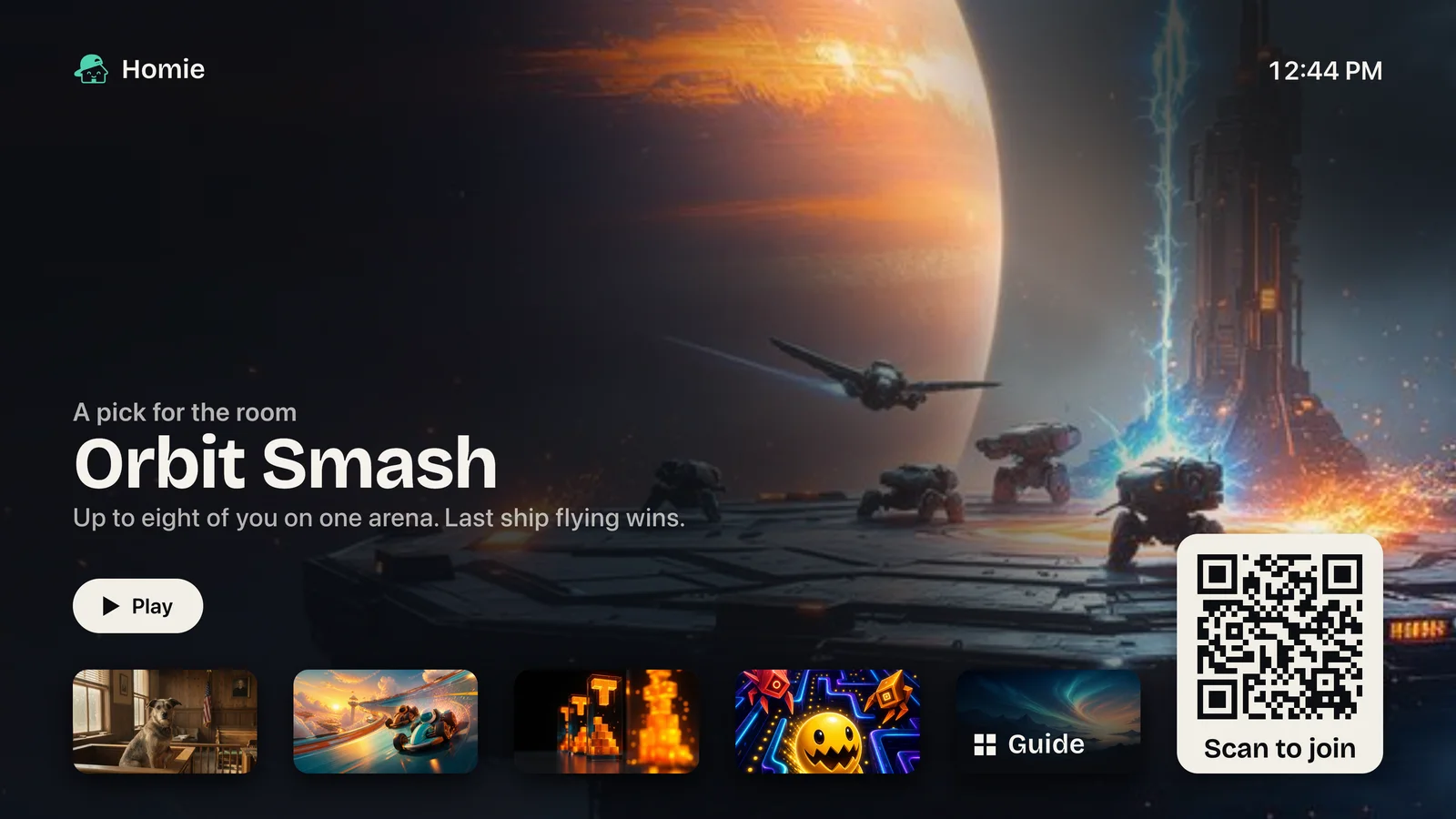
Homie on a television: the house name Homie and the clock, Orbit Smash picked for the room with a Play key, a row of games and the Guide, and a square captioned Scan to join.
Homie’s own screens, with a sample household.

From download to first game

  1. Homie-0.3.136.pkg

    • 294 MB
    • Signed and notarized
    • macOS 15 or later
    • Apple Silicon

    Open the download

    On the Mac by the TV. It installs, makes your house, and starts Homie. No account and no code.

  2. The lower right of Homie on the TV: the game art, the last tiles of the row, the Guide tile and the square captioned Scan to join.

    Homie comes up on the TV

    Games to pick from, and a square that says Scan to join.

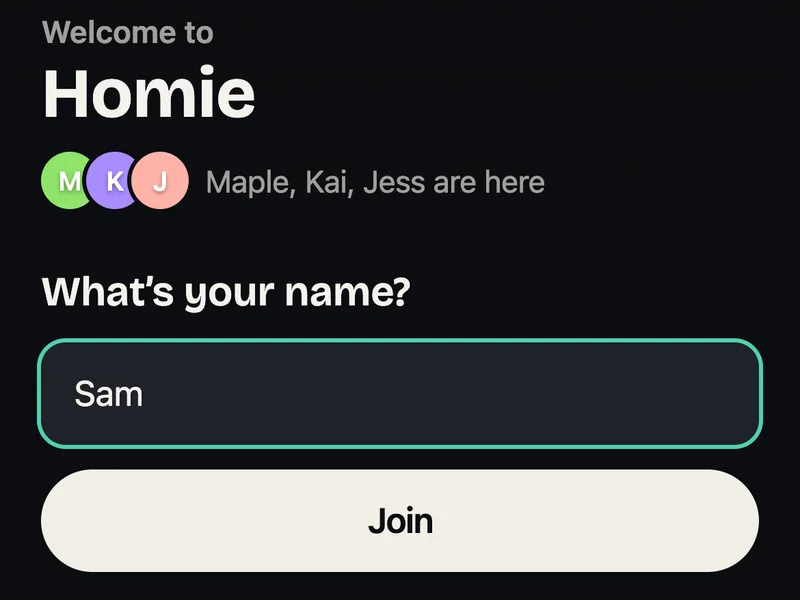
  3. A phone that just scanned the square: Welcome to Homie, Maple, Kai and Jess are here, the name Sam typed in, and Join.

    Scan the square, type a name

    Any phone camera. It opens in the browser, so nobody installs an app.

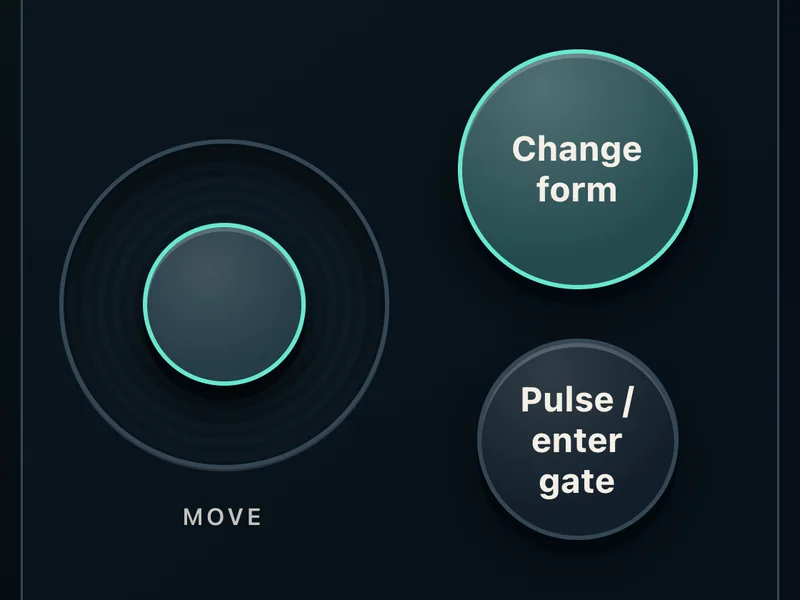
  4. A phone as the controller for Manyworlds: a MOVE stick and two keys, Change form and Pulse / enter gate.

    Play

    Each game draws its own controls on your phone. Here, Manyworlds. Friends scan the same square to join in.

Later, if you want: make your phone the owner with the six digits the TV shows, and put the house online to play from away and share what you make. Getting online opens soon, and everything in the room works without it. A friend whose Homie is already online can send you a link with a setup code.

Bring your AI to make things

Ask from your phone for a game, a song or a film, and the AI on your Mac makes it. Homie uses the native CLI you already have. Install one on the Mac and sign in:

ClaudeCodexGrok

Homie sells no AI and does not supply a model. Games, watching and listening work without one. Homie itself is free in the beta. Anyone who joins from a phone and asks for something uses the AI account signed in on that Mac, so use a Mac or login you’re happy to share.

What Homie costs

What you need

  • An Apple Silicon MacmacOS 15 or later
  • A TVConnected to the Mac with HDMI
  • PhonesAny phone with a browser. No app
  • One Wi‑FiThe phones on the same network as the Mac
  • An AI, only to make thingsClaude, Codex or Grok, signed in on the Mac

If something goes wrong

macOS won’t open the installer

The download is signed and notarized by Apple. If macOS still stops it, open System Settings → Privacy & Security and choose Open Anyway.

The download is slow or stops

It’s 294 MB. Download it again from this page; a file that didn’t finish won’t open.

I have an Intel Mac

Homie doesn’t run on it. The installer needs a Mac with Apple Silicon (M1 or later) on macOS 15 or later.

A phone won’t join

Put it on the same Wi‑Fi as the Mac, not a guest network. Turn off mobile data and any VPN, then scan the square the TV shows now.

The TV isn’t showing Homie

Set the TV to the Mac’s HDMI input, then open Homie from Applications or Spotlight. If someone closed Homie on the TV and “Reopen if it closes” is off, it waits to be asked: on an owner’s phone, tap your initial, then Settings → Television → Show the television.

User guideTell us what happened

Helping with an AI? Give it install.md to install Homie, or setup.md once it’s installed. They’re written for the assistant, not for you.

Before installing, read the Terms of use and the Privacy notice. Homie includes FFmpeg 9.0.1 under GPL-2.0-or-later because the film path enables libx264. Exact corresponding source, signature, build configuration and licence notices for the macOS arm64 runtime: https://downloads.homie.rocks/source/ffmpeg/9.0.1/darwin-arm64/. Upstream projects: FFmpeg, x264, libvpx.